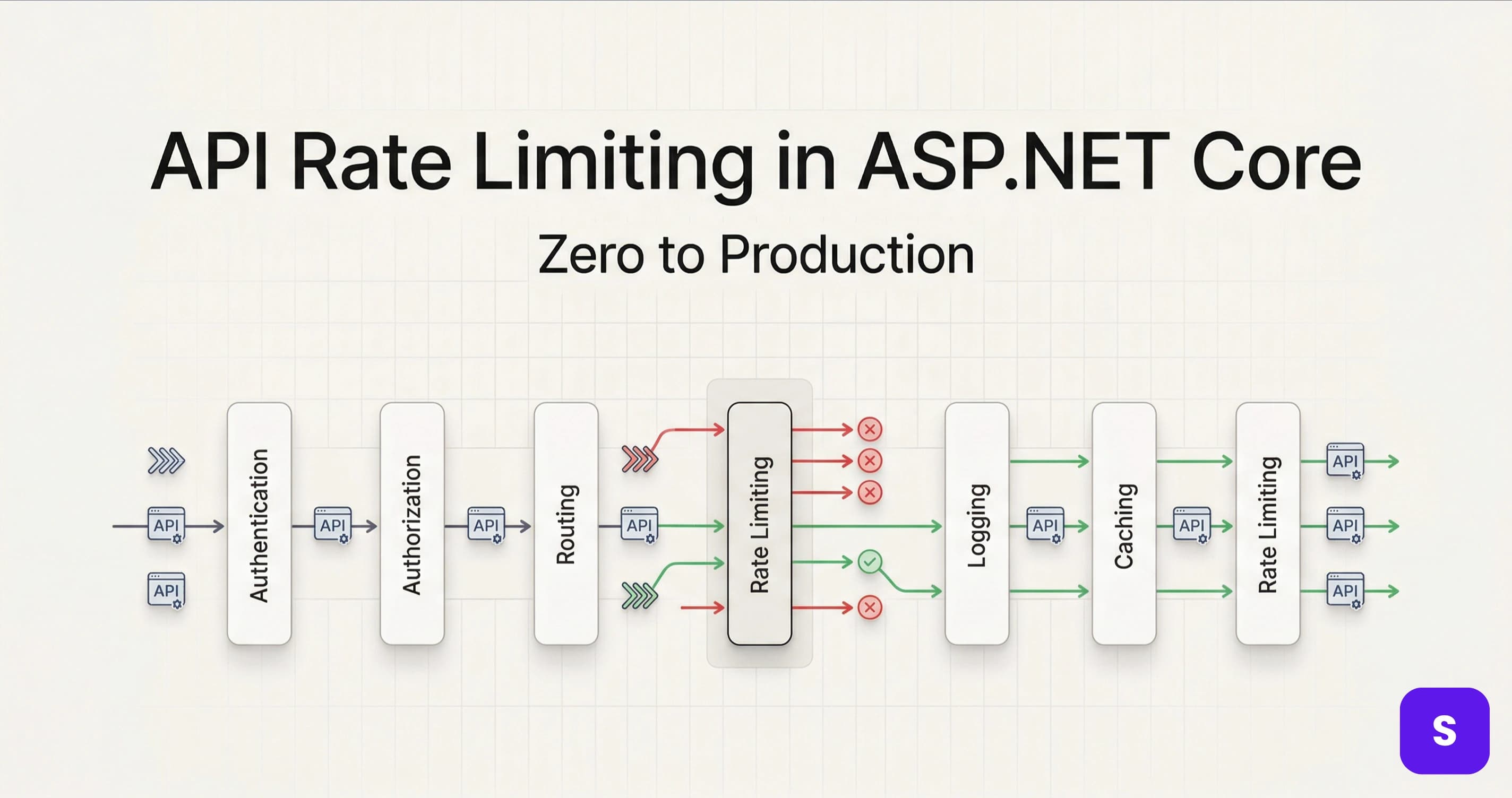
An unprotected API endpoint is an open invitation — for scrapers, for abuse, and for the occasional runaway client that fires 10,000 requests in 60 seconds and takes your service down. I've seen all three happen in production, and none of them are fun to debug at midnight.
API rate limiting in ASP.NET Core has been dramatically simpler since .NET 7 introduced built-in middleware — no third-party packages required for the common cases. But there's a gap between "it works on my machine" and "it works correctly behind three load-balanced instances in production." In this guide, I'll walk you through the four built-in rate limiting algorithms, show you how to rate limit by user identity or API key, and share the production gotchas I ran into so you don't have to.
Understanding the Four Rate Limiting Algorithms
ASP.NET Core's built-in middleware implements four algorithms, each with different characteristics. Choosing the wrong one is a common mistake I see — so let's be precise about what each does.
Fixed Window
Fixed window allows N requests in a time window that resets at regular intervals. Allow 100 requests per minute: the counter resets at exactly :00 and :60 seconds.
The weakness: clients can burst up to 200 requests by sending 100 at :59 and 100 at :00. This "boundary burst" is the most common complaint I hear from teams who chose fixed window without thinking through the edge cases.
Sliding Window
Sliding window smooths this out by tracking requests over a rolling window rather than a fixed reset point. No boundary burst possible. Slightly more memory-intensive because it tracks per-segment counts, but the fairness improvement is worth it for most APIs.
Token Bucket
Token bucket is the most flexible algorithm. Tokens refill at a constant rate (e.g., 10 tokens/second). Each request consumes one token. If the bucket is empty, the request is rejected — or queued if you configure a queue limit. It handles bursty traffic gracefully while still enforcing a long-term average rate.
I prefer token bucket for APIs that serve interactive users — it allows a reasonable burst for fast interactions while still protecting against sustained abuse.
Concurrency Limiter
Concurrency limiting caps the number of simultaneously active requests, not the request rate. Useful for protecting expensive endpoints (heavy DB queries, file processing) from being parallelized into resource exhaustion. Different from the others — it's about parallelism, not throughput.
Setting Up Rate Limiting in ASP.NET Core
Basic Setup
The built-in rate limiting middleware lives in Microsoft.AspNetCore.RateLimiting, which ships with ASP.NET Core 7+. No additional packages needed.
// Program.cs
builder.Services.AddRateLimiter(options =>
{
    options.RejectionStatusCode = StatusCodes.Status429TooManyRequests;

    options.AddFixedWindowLimiter("fixed", limiterOptions =>
    {
        limiterOptions.PermitLimit = 100;
        limiterOptions.Window = TimeSpan.FromMinutes(1);
        limiterOptions.QueueProcessingOrder = QueueProcessingOrder.OldestFirst;
        limiterOptions.QueueLimit = 0;
    });

    options.AddSlidingWindowLimiter("sliding", limiterOptions =>
    {
        limiterOptions.PermitLimit = 100;
        limiterOptions.Window = TimeSpan.FromMinutes(1);
        limiterOptions.SegmentsPerWindow = 6; // 10-second segments
        limiterOptions.QueueLimit = 0;
    });

    options.AddTokenBucketLimiter("token", limiterOptions =>
    {
        limiterOptions.TokenLimit = 100;
        limiterOptions.ReplenishmentPeriod = TimeSpan.FromSeconds(10);
        limiterOptions.TokensPerPeriod = 20;
        limiterOptions.QueueLimit = 0;
    });
});

// ...

app.UseRateLimiter(); // must be after UseRouting, before UseAuthorization
Note the RejectionStatusCode = 429. The default is 503 Service Unavailable, which is semantically wrong — 503 means your service is down, not that the client sent too many requests. Always override this to 429 per RFC 6585.
Apply Policies to Endpoints
You can apply policies globally, per controller, or per endpoint:
// Global — applies to all endpoints
options.GlobalLimiter = PartitionedRateLimiter.Create<HttpContext, string>(context =>
    RateLimitPartition.GetFixedWindowLimiter(
        partitionKey: "global",
        factory: _ => new FixedWindowRateLimiterOptions
        {
            PermitLimit = 1000,
            Window = TimeSpan.FromMinutes(1)
        }));

// Per endpoint with attribute
[EnableRateLimiting("sliding")]
[HttpGet("products")]
public async Task<IActionResult> GetProducts() { ... }

// Disable rate limiting for specific endpoints (health checks, etc.)
[DisableRateLimiting]
[HttpGet("health")]
public IActionResult Health() => Ok();
Rate Limiting by User Identity or API Key
A global rate limit is a start, but what you usually want is per-client limiting — each user or API key gets their own independent counter. This is where partitioned limiters come in.
builder.Services.AddRateLimiter(options =>
{
    options.RejectionStatusCode = StatusCodes.Status429TooManyRequests;

    options.AddPolicy("per-user", httpContext =>
    {
        // Authenticated users: rate limit by user ID
        if (httpContext.User.Identity?.IsAuthenticated == true)
        {
            var userId = httpContext.User.FindFirstValue(ClaimTypes.NameIdentifier)!;
            return RateLimitPartition.GetTokenBucketLimiter(userId, _ =>
                new TokenBucketRateLimiterOptions
                {
                    TokenLimit = 200,
                    ReplenishmentPeriod = TimeSpan.FromMinutes(1),
                    TokensPerPeriod = 200,
                    QueueLimit = 0
                });
        }

        // Anonymous requests: rate limit by IP address
        var ipAddress = httpContext.Connection.RemoteIpAddress?.ToString() ?? "unknown";
        return RateLimitPartition.GetFixedWindowLimiter(ipAddress, _ =>
            new FixedWindowRateLimiterOptions
            {
                PermitLimit = 20,
                Window = TimeSpan.FromMinutes(1),
                QueueLimit = 0
            });
    });

    // Add a Retry-After header on rejection
    options.OnRejected = async (context, cancellationToken) =>
    {
        context.HttpContext.Response.StatusCode = StatusCodes.Status429TooManyRequests;

        if (context.Lease.TryGetMetadata(MetadataName.RetryAfter, out var retryAfter))
        {
            context.HttpContext.Response.Headers.RetryAfter =
                ((int)retryAfter.TotalSeconds).ToString();
        }

        await context.HttpContext.Response.WriteAsJsonAsync(
            new { error = "Rate limit exceeded. Please slow down." },
            cancellationToken);
    };
});
Apply it:
[EnableRateLimiting("per-user")]
[Authorize]
[HttpPost("orders")]
public async Task<IActionResult> CreateOrder([FromBody] CreateOrderRequest request)
{
    // ...
}
Now authenticated users each get 200 requests/minute with their own counter. Anonymous requests are capped at 20/minute per IP — much more conservative to prevent scraping. I use this split pattern on every public-facing API I build.
For more on JWT authentication and extracting the user ID claim correctly, see JWT vs OAuth2 vs API Keys — Choosing the Right Authentication Strategy.
Production Best Practices and Mistakes I've Made
1. In-Memory Limiters Don't Work Behind Load Balancers
This is the biggest production gotcha with ASP.NET Core's built-in rate limiting. Every instance maintains its own independent counters. If you have 3 instances behind a load balancer, a client can effectively send 3× your intended limit — 100 req/min per instance = 300 req/min in practice.
For distributed rate limiting, you need a shared counter store. The most battle-tested option is AspNetCoreRateLimit with Redis backing:
dotnet add package AspNetCoreRateLimit
dotnet add package AspNetCoreRateLimit.Redis
builder.Services.AddRedisRateLimiting();
builder.Services.Configure<ClientRateLimitOptions>(
    builder.Configuration.GetSection("ClientRateLimiting"));
Alternatively, implement a custom PartitionedRateLimiter<HttpContext> backed by Redis using StackExchange.Redis directly — more work but full control. For caching and Redis patterns, the approaches in Mastering Caching in .NET apply directly here.
2. Always Return a Retry-After Header
The OnRejected callback I showed above sets a Retry-After header when the lease metadata includes it. This is critical for well-behaved API clients — it tells them exactly when to retry instead of hammering your API with exponential backoff guesses.
Not all rate limiter types populate RetryAfter metadata automatically. Token bucket and fixed window do; sliding window doesn't by default. Test this explicitly with curl -v before going to production.
3. Exempt Internal Services and Health Checks
Nothing is more embarrassing than your Kubernetes readiness probe getting rate-limited and taking down your deployment. Always use [DisableRateLimiting] on:
- Health check endpoints (
/health,/ready,/live) - Metrics endpoints (
/metrics) - Internal service-to-service endpoints that use a dedicated service account
app.MapHealthChecks("/health").DisableRateLimiting();
4. Log Rate Limit Rejections
Rate limit hits are signal, not noise. Log them to understand your traffic patterns — which endpoints are being hammered, which clients are hitting limits legitimately vs. abusively:
options.OnRejected = async (context, cancellationToken) =>
{
    var logger = context.HttpContext.RequestServices
        .GetRequiredService<ILogger<Program>>();

    logger.LogWarning(
        "Rate limit exceeded — Endpoint: {Path}, IP: {IP}, User: {User}",
        context.HttpContext.Request.Path,
        context.HttpContext.Connection.RemoteIpAddress,
        context.HttpContext.User.Identity?.Name ?? "anonymous");

    context.HttpContext.Response.StatusCode = 429;
    await context.HttpContext.Response.WriteAsJsonAsync(
        new { error = "Too many requests." }, cancellationToken);
};
5. Differentiate Rate Limits by Tier
In production, not all clients are equal. A free-tier user and an enterprise customer shouldn't share the same rate limit. Use the JWT claims or API key metadata to apply tiered limits:
options.AddPolicy("tiered", httpContext =>
{
    var tier = httpContext.User.FindFirstValue("subscription_tier") ?? "free";

    var (limit, window) = tier switch
    {
        "enterprise" => (5000, TimeSpan.FromMinutes(1)),
        "pro"        => (1000, TimeSpan.FromMinutes(1)),
        _            => (100,  TimeSpan.FromMinutes(1))  // free
    };

    var userId = httpContext.User.FindFirstValue(ClaimTypes.NameIdentifier) ?? "anon";
    return RateLimitPartition.GetFixedWindowLimiter($"{tier}:{userId}", _ =>
        new FixedWindowRateLimiterOptions
        {
            PermitLimit = limit,
            Window = window,
            QueueLimit = 0
        });
});
This pattern has been one of the most requested features I've implemented for SaaS backends — it's the difference between a product that protects its infrastructure and one that treats all customers identically regardless of their contract.
For handling idempotency on retried requests that hit rate limits, see Idempotency Failures: Why Your API Breaks Under Retry — well-designed clients will retry on 429, and your API needs to handle those retries safely.
6. Test Rate Limiting Before Going Live
I use a simple bash loop to verify the policy fires correctly:
for i in {1..110}; do
  STATUS=$(curl -s -o /dev/null -w "%{http_code}" http://localhost:5000/api/products)
  echo "Request $i: $STATUS"
done
Requests 101–110 should return 429. If they don't, your middleware order is wrong — UseRateLimiter() must come after UseRouting() and before UseAuthorization() in the middleware pipeline.
The ASP.NET Core rate limiting documentation has the complete middleware ordering reference and algorithm options.
Key Takeaways
- ASP.NET Core 7+ includes built-in rate limiting — no third-party packages needed for single-instance deployments.
AddRateLimiter+UseRateLimiteris all it takes to get started. - Override the rejection status code to 429 — the default 503 is semantically incorrect. Always set
RejectionStatusCode = StatusCodes.Status429TooManyRequests. - Use partitioned limiters for per-user or per-API-key limits — a single global counter treats all clients the same, which is rarely what you want in production.
- Built-in in-memory limiters break behind load balancers — each instance counts independently. Use Redis-backed distributed rate limiting for multi-instance deployments.
- Always add a
Retry-Afterheader on 429 responses — it's the contract well-behaved API clients depend on to know when to retry. - Log every rate limit rejection — it's a signal about traffic patterns, not noise. A spike in rejections is an early warning of abuse or a misbehaving client.
- Exempt health checks and internal service endpoints from rate limiting — a rate-limited health probe can trigger a false-positive Kubernetes restart cascade.
- Tiered rate limits by subscription are the production-grade version — free, pro, and enterprise clients should not share the same counter.
Conclusion
API rate limiting in ASP.NET Core is one of those features that went from "painful third-party setup" to "built into the framework" with .NET 7 — and the built-in middleware covers 90% of use cases cleanly. The remaining 10% — distributed limiting behind load balancers, tiered policies, and Retry-After headers — is where production experience separates robust APIs from fragile ones.
The patterns I've covered here are what I now add to every public-facing ASP.NET Core API from the start. Rate limiting is much easier to add before traffic arrives than after an incident forces you to retrofit it under pressure.
If you hit edge cases around distributed counters or JWT-claim-based tiering, drop a comment below. And for more .NET backend patterns from real projects, there's plenty more to explore on steve-bang.com.
FAQ
Q: How do I add rate limiting to ASP.NET Core?
A: Call builder.Services.AddRateLimiter() to register policies and app.UseRateLimiter() to enable the middleware. Decorate controllers or endpoints with [EnableRateLimiting("PolicyName")]. ASP.NET Core 7+ includes this built-in — no extra packages needed for single-instance scenarios.
Q: What is the difference between fixed window and sliding window rate limiting? A: Fixed window resets the counter at regular intervals — allowing a burst at window boundaries. Sliding window tracks requests over a rolling time period, preventing boundary bursts. Sliding window is fairer for clients but slightly more memory-intensive. Use sliding window when burst spikes at reset boundaries are a concern.
Q: How do I rate limit by user or API key in ASP.NET Core?
A: Use a partitioned limiter with RateLimitPartition.GetFixedWindowLimiter (or token bucket) and set the partition key to the user's ID, API key, or IP address from HttpContext. Each unique partition key gets its own independent counter — a user hitting their limit doesn't affect other users.
Q: Does ASP.NET Core rate limiting work across multiple instances? A: No — the built-in in-memory limiter is per-instance. Behind a load balancer, each instance counts independently, effectively multiplying your intended limit by the instance count. Use Redis-backed distributed rate limiting (e.g., AspNetCoreRateLimit with Redis) for accurate cross-instance enforcement.
Q: What HTTP status code does rate limiting return?
A: The correct code is 429 Too Many Requests (RFC 6585). ASP.NET Core defaults to 503 — always override with options.RejectionStatusCode = StatusCodes.Status429TooManyRequests. Also add a Retry-After header in OnRejected to tell clients when they can safely retry.
Related Resources
- Idempotency Failures: Why Your API Breaks Under Retry — Clients that receive 429 will retry — make sure your API handles those retries safely without duplicate side effects.
- JWT vs OAuth2 vs API Keys — Choosing the Right Authentication Strategy — Extract user identity and subscription tier from JWT claims to power per-user and tiered rate limiting policies.
- Mastering Caching in .NET: Blazing Fast, Scalable Applications — Redis patterns for distributed rate limiting counters use the same
IDistributedCacheabstraction as distributed caching. - Top 15 Mistakes Developers Make When Creating APIs — Rate limiting is one of the top omissions in production APIs — see what else commonly gets missed.
- CancellationToken in .NET: Best Practices to Prevent Wasted Work — Combine rate limiting with cancellation to stop processing requests that clients have already abandoned after a 429 retry.