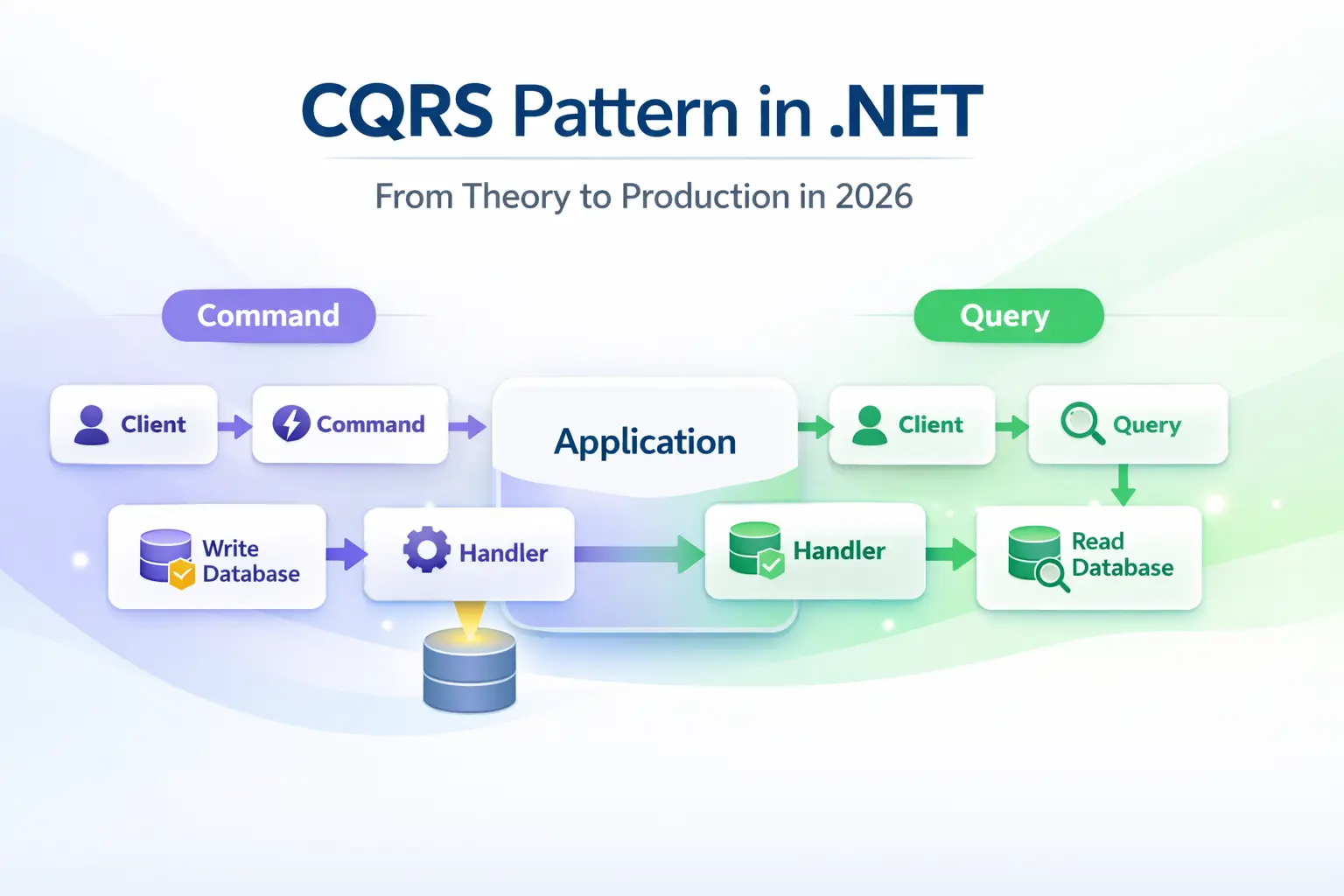
Most developers I know have heard of CQRS — Command Query Responsibility Segregation — but a surprising number either over-engineer it into a distributed nightmare or dismiss it as unnecessary complexity.
I've been on both sides of that mistake.
After shipping multiple production .NET systems using CQRS, I've developed a clear sense of when it helps, how to set it up cleanly, and which traps to avoid. In this post, I'll walk you through the CQRS pattern from first principles, show you how I implement it with MediatR in real projects, and share the production lessons I learned the hard way. No theory-only fluff — just the stuff I actually use.
What Is CQRS and Why Should You Care?
CQRS stands for Command Query Responsibility Segregation. The core idea, popularized by Greg Young's foundational CQRS document, is simple: reads and writes are fundamentally different problems, so model them separately.
In a traditional CRUD API, the same service class and domain model handles everything. That works fine at small scale, but as your system grows, you'll hit these friction points:
- A read query unnecessarily loads a domain model packed with validation logic.
- A write operation eager-loads relationships just to compute a return value.
- Your
OrderServiceballoons to 1,500 lines and every change feels risky.
CQRS solves this by splitting the application layer into two explicit flows:
- Commands — change state (create, update, delete). They do work and return minimal data.
- Queries — read state. They never mutate anything. Ever.
CQRS vs. Traditional Service Classes
Here's a quick mental model I use when deciding whether to apply CQRS:
| Concern | Traditional Service | CQRS |
|---|---|---|
| Read-heavy with projections | Returns full domain model | Slim read-optimized DTO |
| Complex write logic | Mixed with reads | Isolated command handler |
| Unit testability | Harder (mixed deps) | Single responsibility per handler |
| Team scalability | Service file conflicts | Each handler is its own file |
Do You Need Separate Databases?
This trips up a lot of people. You do not need separate read/write databases to use CQRS. That's an advanced infrastructure pattern, often combined with Event Sourcing.
In most projects I've worked on, we use a single SQL Server or PostgreSQL database — but with completely separate read and write models in code. That alone gives you significant clarity and maintainability gains, with zero infrastructure overhead.
Setting Up CQRS in .NET with MediatR
My preferred approach for implementing CQRS in .NET is MediatR — a lightweight in-process mediator library by Jimmy Bogard. It handles dispatching requests to the right handler with virtually no boilerplate.
If you want a deeper MediatR walkthrough, I covered it in MediatR in .NET: A Complete Guide with Real Examples and Clean Architecture.
Step 1 — Install the Package
dotnet add package MediatR
As of MediatR 12+, the DI extension is bundled in the main package. No separate install needed.
Step 2 — Register in Program.cs
builder.Services.AddMediatR(cfg =>
    cfg.RegisterServicesFromAssembly(typeof(Program).Assembly));
Step 3 — Project Structure
I use a feature-slice layout that keeps everything for a feature together. Inspired by Vertical Slice Architecture, it makes navigation and ownership obvious:
/Features
  /Orders
    /Commands
      CreateOrderCommand.cs
      CreateOrderCommandHandler.cs
    /Queries
      GetOrderByIdQuery.cs
      GetOrderByIdQueryHandler.cs
    OrderDto.cs
This beats the traditional /Services, /Repositories, /Models split. You stop hunting across folders every time you touch a feature.
Building Real CQRS Handlers: End-to-End Example
Let me walk through an order management feature — the kind I've shipped in actual production systems.
The Command: CreateOrder
// CreateOrderCommand.cs
public record CreateOrderCommand(
    Guid CustomerId,
    List<OrderItemDto> Items
) : IRequest<Guid>;
// CreateOrderCommandHandler.cs
public class CreateOrderCommandHandler
    : IRequestHandler<CreateOrderCommand, Guid>
{
    private readonly AppDbContext _db;

    public CreateOrderCommandHandler(AppDbContext db)
    {
        _db = db;
    }

    public async Task<Guid> Handle(
        CreateOrderCommand request,
        CancellationToken cancellationToken)
    {
        var order = new Order
        {
            Id = Guid.NewGuid(),
            CustomerId = request.CustomerId,
            Items = request.Items.Select(i => new OrderItem
            {
                ProductId = i.ProductId,
                Quantity = i.Quantity
            }).ToList(),
            CreatedAt = DateTime.UtcNow
        };

        _db.Orders.Add(order);
        await _db.SaveChangesAsync(cancellationToken);

        return order.Id;
    }
}
Notice the command handler returns only the new Guid. Commands should do their job and get out — no loading the full object back just to satisfy a fat return type.
I also always pass CancellationToken through to every async call. In high-traffic APIs, this matters a lot. I covered why in detail in CancellationToken in .NET: Best Practices to Prevent Wasted Work.
The Query: GetOrderById
// GetOrderByIdQuery.cs
public record GetOrderByIdQuery(Guid OrderId)
    : IRequest<OrderDto?>;
// GetOrderByIdQueryHandler.cs
public class GetOrderByIdQueryHandler
    : IRequestHandler<GetOrderByIdQuery, OrderDto?>
{
    private readonly AppDbContext _db;

    public GetOrderByIdQueryHandler(AppDbContext db)
    {
        _db = db;
    }

    public async Task<OrderDto?> Handle(
        GetOrderByIdQuery request,
        CancellationToken cancellationToken)
    {
        return await _db.Orders
            .AsNoTracking()
            .Where(o => o.Id == request.OrderId)
            .Select(o => new OrderDto(
                o.Id,
                o.CustomerId,
                o.Items.Count,
                o.TotalAmount,
                o.CreatedAt))
            .FirstOrDefaultAsync(cancellationToken);
    }
}
Two things I always do in query handlers:
AsNoTracking()— Queries never mutate data, so EF's change tracker is pure overhead. I've seen this alone cut query times by 20–30% on high-volume endpoints.- Project directly to DTO in SQL — I use
.Select()to project at the database level, not in memory. Never load full entities when you only need 4 columns.
The Controller
[ApiController]
[Route("api/orders")]
public class OrdersController : ControllerBase
{
    private readonly IMediator _mediator;

    public OrdersController(IMediator mediator)
    {
        _mediator = mediator;
    }

    [HttpPost]
    public async Task<IActionResult> Create(
        CreateOrderCommand command,
        CancellationToken ct)
    {
        var id = await _mediator.Send(command, ct);
        return CreatedAtAction(nameof(GetById), new { id }, null);
    }

    [HttpGet("{id:guid}")]
    public async Task<IActionResult> GetById(
        Guid id,
        CancellationToken ct)
    {
        var result = await _mediator.Send(
            new GetOrderByIdQuery(id), ct);

        return result is null ? NotFound() : Ok(result);
    }
}
The controller is now a thin routing layer. It knows nothing about databases, business rules, or domain models. That's exactly where I want it.
Production Best Practices and Common Mistakes
After shipping CQRS systems in production, here are the patterns I've settled on — and the mistakes I've seen (and made) along the way.
Use Validation with Pipeline Behaviors
Don't put validation inside your handlers. Register a MediatR IPipelineBehavior<TRequest, TResponse> to handle it cross-cutting. Pair it with FluentValidation for clean, testable rules:
public class ValidationBehavior<TRequest, TResponse>
    : IPipelineBehavior<TRequest, TResponse>
    where TRequest : IRequest<TResponse>
{
    private readonly IEnumerable<IValidator<TRequest>> _validators;

    public ValidationBehavior(
        IEnumerable<IValidator<TRequest>> validators)
    {
        _validators = validators;
    }

    public async Task<TResponse> Handle(
        TRequest request,
        RequestHandlerDelegate<TResponse> next,
        CancellationToken cancellationToken)
    {
        if (_validators.Any())
        {
            var context = new ValidationContext<TRequest>(request);
            var failures = _validators
                .Select(v => v.Validate(context))
                .SelectMany(r => r.Errors)
                .Where(f => f != null)
                .ToList();

            if (failures.Count != 0)
                throw new ValidationException(failures);
        }

        return await next();
    }
}
This keeps your handlers focused on business logic and nothing else.
Don't Call Commands from Query Handlers
This sounds obvious but I've seen it happen. A query handler that "just sneaks in" a LastViewed timestamp update breaks the separation entirely. If you need a side effect on read, use a domain event or a background job — not a command call inside a query handler.
Avoid the "Anemic Handler" Anti-Pattern
Some teams move all their logic into a service class and leave handlers as one-liners that just delegate. That's your old service class with extra naming overhead. Put the business logic in the handler (or in a rich domain model it calls), not in an injected XxxService.
CQRS + Caching Is a Natural Fit
Because query handlers are pure reads with no side effects, they're ideal candidates for caching. I layer response caching or distributed Redis caching at the query handler level — either directly or via a dedicated pipeline behavior. I wrote a full breakdown in Mastering Caching in .NET.
Know When NOT to Use CQRS
I've seen teams apply CQRS to every microservice regardless of complexity. For a service with 5 endpoints and simple CRUD, it's overkill. I apply it when:
- The domain has real business logic beyond simple data mapping.
- Read and write loads are significantly asymmetric.
- Multiple developers work on the same service simultaneously.
- I need clear audit trails or plan to add Event Sourcing later.
For simpler services, a straightforward repository pattern or even a minimal API is the better call. The Microsoft Architecture Center has solid guidance on when CQRS is and isn't appropriate.
Key Takeaways
- CQRS separates reads (Queries) from writes (Commands) — this is a code-level pattern, not an infrastructure requirement.
- You don't need separate databases to get value from CQRS. A single DB with split models in code is where most teams should start.
- MediatR is the cleanest way to implement CQRS in .NET — thin controllers, focused handlers, easy unit testing.
- Always use
AsNoTracking()in query handlers and project to DTOs at the database level with.Select(). - Use pipeline behaviors for cross-cutting concerns (validation, logging, caching) — keep handlers focused on one job.
CancellationTokenbelongs in every async handler. High-traffic APIs depend on it.- CQRS pairs naturally with Event Sourcing but doesn't require it — walk before you run.
- Don't apply CQRS blindly. Use it where domain complexity actually justifies the structure.
Wrapping Up
CQRS isn't magic, and it's not complicated — once you stop conflating it with microservices, event streaming, and separate database clusters. At its core, it's a disciplined way to prevent your read paths and write paths from fighting each other in the same codebase.
I've shipped it in APIs handling millions of requests per day and in smaller internal tools. The pattern scales both ways. What matters is applying it deliberately, not reflexively.
FAQ
Q: What is CQRS in .NET? A: CQRS (Command Query Responsibility Segregation) separates read and write operations into distinct models. In .NET, it's typically implemented with MediatR, where Commands handle state mutations and Queries handle reads — each processed by a dedicated handler with a single, focused responsibility.
Q: Do I need separate databases to use CQRS? A: No. Separate read/write stores are an advanced option, not a prerequisite. Most teams run CQRS against a single database and still gain significant benefits from cleaner code separation, better testability, and reduced coupling between read and write logic.
Q: Should I use CQRS for every .NET project? A: Not necessarily. CQRS pays off in complex domains with real business logic and read/write asymmetry. For simple CRUD microservices with a handful of endpoints, the overhead isn't worth it. Apply it when the domain complexity genuinely justifies the structure.
Q: What is the difference between CQRS and Event Sourcing? A: They're complementary but independent. CQRS separates reads from writes in your application layer. Event Sourcing stores state as a sequence of immutable events rather than current values. They're often combined — but CQRS works perfectly without Event Sourcing, and many production systems use it that way.
Q: How does MediatR help implement CQRS in .NET?
A: MediatR acts as an in-process message bus. You define a Command or Query as a plain C# record and a separate Handler that processes it. The controller calls IMediator.Send() and remains completely decoupled from business logic — clean CQRS with minimal boilerplate.
Related Resources
-
MediatR in .NET: A Complete Guide with Real Examples and Clean Architecture — The library that makes CQRS in .NET feel natural. Start here if you're new to MediatR.
-
Event Sourcing in .NET: A Practical Guide with Real-World Example and Best Practices — The natural architectural companion to CQRS — learn how to store state as events.
-
CancellationToken in .NET: Best Practices to Prevent Wasted Work — Why every async handler should accept and forward CancellationToken in production systems.
-
Mastering Caching in .NET: Ultimate Guide to Blazing Fast, Scalable, and Cost-Effective Applications — How to layer caching onto your CQRS query handlers for serious performance gains.
-
Idempotency Failures: Why Your API Breaks Under Retry — Command handlers and idempotency go hand-in-hand when building reliable production APIs.