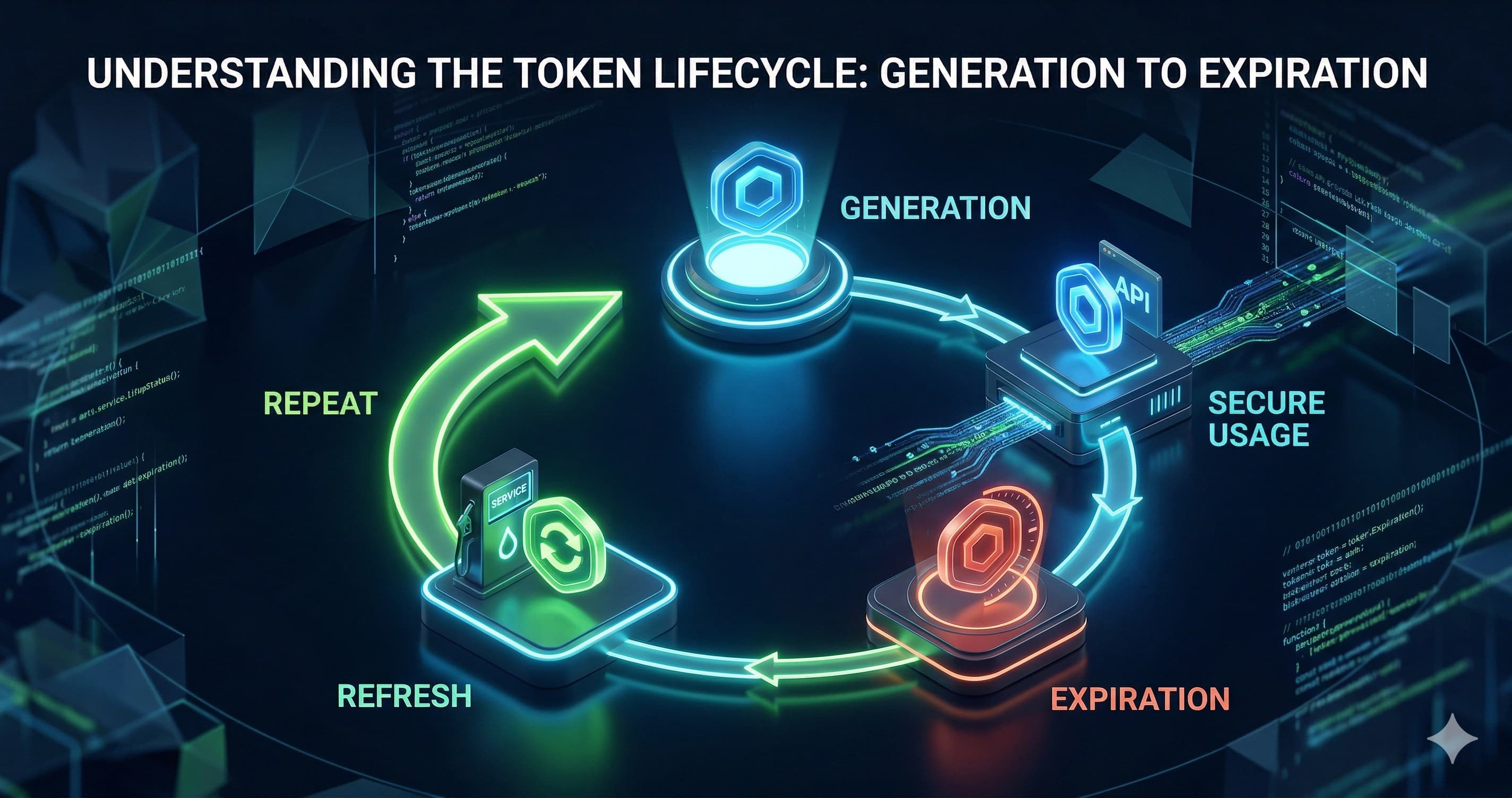
Here's something I learned the hard way early in my backend career: short-lived JWTs alone don't make your auth system secure — how you handle the refresh is where most apps get it wrong.
Refresh token rotation is the pattern that closes the gap. It means every time a client swaps a refresh token for a new access token, the old refresh token is immediately retired and a brand new one takes its place. If a token ever gets stolen, the attacker's window is tiny — and you can detect the theft automatically.
In this post, I'll walk you through exactly how I implement refresh token rotation in ASP.NET Core: the database schema, the token service, the refresh endpoint, revocation logic, and the production lessons I've accumulated along the way.
Why Short-Lived JWTs Are Not Enough
I've worked on several projects where the team's idea of "secure auth" was setting the JWT expiry to 15 minutes. That's a good start, but it misses the bigger picture.
A 15-minute access token expires constantly. If you force users to log in every 15 minutes, they'll hate your app. So teams extend the expiry to hours — or days — which defeats the whole purpose.
The real solution is a two-token architecture:
- Access token (JWT): Short-lived, 5–15 minutes. Stateless. Used to call protected endpoints.
- Refresh token: Long-lived, 7–30 days. Stateful (stored in DB). Used only to get a new access token.
The access token does the heavy lifting on every API request. When it expires, the client silently exchanges the refresh token for a fresh pair. Users never notice — their session continues seamlessly.
This is the foundation. But without rotation, your refresh tokens are still a single point of failure.
What Rotation Actually Solves
Imagine an attacker intercepts a refresh token. Without rotation, they can keep generating new access tokens indefinitely — until the refresh token expires in 30 days. That's a 30-day breach window.
With rotation, the moment the legitimate user makes their next refresh request, the old token is invalidated. If the attacker tries to use their stolen copy, the request fails. Better yet, you can detect this reuse of a consumed token as a theft signal and revoke the entire session automatically.
That's the power of the pattern.
Designing the Data Model
Before writing any token logic, I set up a dedicated RefreshToken table. I never store refresh tokens inside the user record as a single column — that makes token families and reuse detection impossible.
public class RefreshToken
{
    public int Id { get; set; }
    public string Token { get; set; } = string.Empty;
    public string UserId { get; set; } = string.Empty;
    public DateTime ExpiresAt { get; set; }
    public DateTime CreatedAt { get; set; }
    public bool IsRevoked { get; set; }
    public bool IsUsed { get; set; }

    // For token family tracking (theft detection)
    public string? ReplacedByToken { get; set; }
    public string? FamilyId { get; set; }

    public ApplicationUser User { get; set; } = null!;
}
The key fields here are IsRevoked, IsUsed, ReplacedByToken, and FamilyId. These let me track the full rotation chain and detect when a previously consumed token is replayed — a strong signal of token theft.
Add DbSet<RefreshToken> RefreshTokens to your ApplicationDbContext and run a migration.
Building the Token Service
I keep all token logic in a single ITokenService interface with three responsibilities: generate access tokens, generate refresh tokens, and rotate them.
Generating the Access Token
public string GenerateAccessToken(ApplicationUser user, IList<string> roles)
{
    var claims = new List<Claim>
    {
        new(JwtRegisteredClaimNames.Sub, user.Id),
        new(JwtRegisteredClaimNames.Email, user.Email!),
        new(JwtRegisteredClaimNames.Jti, Guid.NewGuid().ToString()),
    };

    foreach (var role in roles)
        claims.Add(new Claim(ClaimTypes.Role, role));

    var key = new SymmetricSecurityKey(
        Encoding.UTF8.GetBytes(_config["Jwt:Key"]!));
    var creds = new SigningCredentials(key, SecurityAlgorithms.HmacSha256);

    var token = new JwtSecurityToken(
        issuer: _config["Jwt:Issuer"],
        audience: _config["Jwt:Audience"],
        claims: claims,
        expires: DateTime.UtcNow.AddMinutes(15),
        signingCredentials: creds
    );

    return new JwtSecurityTokenHandler().WriteToken(token);
}
Always use DateTime.UtcNow — mixing local and UTC timestamps is a classic source of bugs in distributed systems. And keep that expiry at 15 minutes or less.
Generating the Refresh Token
Don't use GUIDs for refresh tokens. Use a cryptographically secure random generator:
public string GenerateRefreshToken()
{
    var bytes = new byte[64];
    using var rng = RandomNumberGenerator.Create();
    rng.GetBytes(bytes);
    return Convert.ToBase64String(bytes);
}
A 64-byte random value gives you 512 bits of entropy. No attacker is brute-forcing that. Per the OWASP Authentication Cheat Sheet, tokens should be generated using a cryptographically secure pseudorandom number generator — this is exactly that.
Persisting the Token
public async Task<RefreshToken> CreateRefreshTokenAsync(
    string userId, string familyId, CancellationToken ct = default)
{
    var refreshToken = new RefreshToken
    {
        Token = GenerateRefreshToken(),
        UserId = userId,
        FamilyId = familyId,
        ExpiresAt = DateTime.UtcNow.AddDays(7),
        CreatedAt = DateTime.UtcNow,
        IsRevoked = false,
        IsUsed = false
    };

    _context.RefreshTokens.Add(refreshToken);
    await _context.SaveChangesAsync(ct);

    return refreshToken;
}
When a user first logs in, generate a new FamilyId (a fresh GUID). All subsequent rotations within that session share the same FamilyId — this lets you revoke an entire session chain in one query.
The Refresh Endpoint: Rotation in Practice
This is the heart of the implementation. When a client sends an expired access token + a refresh token, the endpoint does the following:
- Validate the expired JWT (extract claims without checking expiry)
- Find the refresh token in the database
- Check it's not expired, revoked, or already used
- If it's already used → THEFT DETECTED → revoke the whole family
- Mark the token as used, issue a new pair, rotate
[HttpPost("refresh")]
public async Task<IActionResult> Refresh([FromBody] RefreshRequest request)
{
    // Step 1: Extract claims from expired access token
    ClaimsPrincipal principal;
    try
    {
        principal = _tokenService.GetPrincipalFromExpiredToken(request.AccessToken);
    }
    catch
    {
        return Unauthorized("Invalid access token.");
    }

    var userId = principal.FindFirstValue(JwtRegisteredClaimNames.Sub);
    if (userId is null) return Unauthorized();

    // Step 2: Find the stored refresh token
    var storedToken = await _context.RefreshTokens
        .FirstOrDefaultAsync(t => t.Token == request.RefreshToken);

    if (storedToken is null || storedToken.UserId != userId)
        return Unauthorized("Invalid refresh token.");

    // Step 3: Check for expiry and revocation
    if (storedToken.ExpiresAt < DateTime.UtcNow)
        return Unauthorized("Refresh token expired.");

    if (storedToken.IsRevoked)
        return Unauthorized("Refresh token has been revoked.");

    // Step 4: Detect token reuse (theft signal)
    if (storedToken.IsUsed)
    {
        // Revoke the entire token family
        await _tokenService.RevokeTokenFamilyAsync(storedToken.FamilyId!);
        return Unauthorized("Token reuse detected. Please log in again.");
    }

    // Step 5: Rotate — mark old as used, issue new pair
    storedToken.IsUsed = true;
    storedToken.ReplacedByToken = null; // will be set below

    var user = await _userManager.FindByIdAsync(userId);
    var roles = await _userManager.GetRolesAsync(user!);

    var newAccessToken = _tokenService.GenerateAccessToken(user!, roles);
    var newRefreshToken = await _tokenService.CreateRefreshTokenAsync(
        userId, storedToken.FamilyId!);

    storedToken.ReplacedByToken = newRefreshToken.Token;
    await _context.SaveChangesAsync();

    return Ok(new
    {
        AccessToken = newAccessToken,
        RefreshToken = newRefreshToken.Token
    });
}
The GetPrincipalFromExpiredToken method deserves a mention. You need to validate the token without checking expiry — just to extract the user identity. Configure TokenValidationParameters with ValidateLifetime = false for this specific validation path only.
public ClaimsPrincipal GetPrincipalFromExpiredToken(string token)
{
    var parameters = new TokenValidationParameters
    {
        ValidateIssuer = true,
        ValidateAudience = true,
        ValidIssuer = _config["Jwt:Issuer"],
        ValidAudience = _config["Jwt:Audience"],
        ValidateLifetime = false, // <-- intentional
        IssuerSigningKey = new SymmetricSecurityKey(
            Encoding.UTF8.GetBytes(_config["Jwt:Key"]!))
    };

    var handler = new JwtSecurityTokenHandler();
    return handler.ValidateToken(token, parameters, out _);
}
Production Best Practices and Lessons Learned
After shipping this pattern across several projects, here's what I've learned that the tutorials don't usually cover.
Store Refresh Tokens in HttpOnly Cookies
Every tutorial returns the refresh token in the JSON response body. That's fine for mobile apps, but for web apps I always prefer HttpOnly cookies. JavaScript can't read them, which eliminates the entire XSS-based theft vector.
Response.Cookies.Append("refreshToken", newRefreshToken.Token, new CookieOptions
{
    HttpOnly = true,
    Secure = true,
    SameSite = SameSiteMode.Strict,
    Expires = DateTime.UtcNow.AddDays(7)
});
The Auth0 documentation on refresh tokens and the Microsoft ASP.NET Core security docs both recommend HttpOnly cookies as the safest storage option for web clients. This aligns with guidance from the IETF OAuth Security Best Current Practice (BCP 212).
Clean Up Expired Tokens Regularly
Your RefreshTokens table will grow indefinitely if you don't purge it. I run a background IHostedService that deletes tokens older than 30 days (expired + used or revoked) once a day.
var cutoff = DateTime.UtcNow.AddDays(-30);
await _context.RefreshTokens
    .Where(t => t.ExpiresAt < cutoff || t.IsRevoked || t.IsUsed)
    .ExecuteDeleteAsync();
Using ExecuteDeleteAsync() from EF Core 7+ runs a single SQL DELETE without loading entities into memory — much more efficient than loading and tracking thousands of rows. I wrote more about this kind of backend efficiency in my post on CancellationToken in .NET.
Rate-Limit the Refresh Endpoint
The /auth/refresh endpoint is a high-value target. I always add rate limiting — ASP.NET Core 8 has built-in rate limiting middleware that makes this trivial.
builder.Services.AddRateLimiter(options =>
{
    options.AddFixedWindowLimiter("refresh", policy =>
    {
        policy.PermitLimit = 5;
        policy.Window = TimeSpan.FromMinutes(1);
    });
});
Apply it to the refresh endpoint: [EnableRateLimiting("refresh")]. Five refreshes per minute per client is plenty for legitimate usage.
Don't Over-Rotate in Distributed Systems
There's a subtle reliability trade-off that Duende IdentityServer's docs articulate well: one-time-use refresh tokens can cause issues under network failures. If a client rotates a token but never receives the response (network drop), they hold an already-consumed token and are locked out.
My approach: treat consumed tokens as replayable within a 30-second grace window if the ReplacedByToken is returned correctly. It's more complex, but it eliminates a frustrating class of support tickets.
Key Takeaways
- Two-token architecture separates concerns cleanly: short-lived JWT for API access, long-lived refresh token for session continuity.
- Token rotation means issuing a new refresh token on every exchange and immediately invalidating the old one — dramatically shrinking the theft window.
- Family tracking enables reuse detection: if a consumed token is replayed, revoke the entire family and notify the user.
- HttpOnly cookies are the safest storage for web clients — don't put refresh tokens in
localStorage. - Use cryptographically secure random generation (not GUIDs) for refresh token values — 64 bytes of entropy is the floor.
- Clean up expired tokens with a background job using
ExecuteDeleteAsync()to keep your DB healthy. - Rate-limit the refresh endpoint — it's a natural brute-force target.
- Plan for network failures in distributed systems — a strict one-time-use policy without a grace window creates user-facing reliability issues.
Conclusion
Getting authentication right in ASP.NET Core means thinking beyond "just add JWT." The refresh token rotation pattern is one of those things that feels complex the first time you implement it, but once it clicks, it becomes second nature — and it dramatically raises the bar for anyone trying to hijack your users' sessions.
The full pattern — short-lived access tokens, cryptographically secure rotating refresh tokens, family-based reuse detection, HttpOnly cookie storage, and regular cleanup — is production-grade auth that I'm confident shipping.
If you found this useful, drop a comment or share it with your team. And if you want to go deeper on the JWT side of this story, check out the JWT series on steve-bang.com.
FAQ
Q: What is refresh token rotation in ASP.NET Core? A: Refresh token rotation means every time a client exchanges a refresh token for a new access token, the old refresh token is immediately invalidated and a fresh one is issued. This limits the damage window if a token is ever stolen, since the attacker's copy becomes useless after the next legitimate refresh.
Q: Where should I store refresh tokens on the client side?
A: Always store refresh tokens in HttpOnly cookies, not localStorage. HttpOnly cookies are inaccessible to JavaScript, preventing XSS attacks from reading the token. Pair this with Secure and SameSite=Strict flags for maximum protection.
Q: How long should a refresh token be valid? A: For most web apps, 7–30 days is a reasonable window. For financial or sensitive apps, consider 24 hours or less and require re-authentication after inactivity. The shorter the window, the smaller the exposure if a token is compromised.
Q: How do I detect refresh token theft in ASP.NET Core?
A: Implement token family tracking: assign a shared FamilyId to all tokens in a session chain. If a previously consumed (rotated) refresh token is used again, it's a theft signal — revoke all tokens in that family and force the user to log in again.
Q: Should I use rotation or reusable refresh tokens? A: Rotation is more secure but adds complexity and can cause reliability issues over flaky networks. Reusable tokens are simpler but riskier. For public-facing apps, rotation is worth the trade-off. For internal tooling, reusable tokens with strict expiry and revocation on logout are often sufficient.
Related Resources
- JWT vs OAuth2 vs API Keys — Choosing the Right Authentication Strategy — Understand where refresh token rotation fits in the broader auth landscape.
- How JWT Signing and Verification Work — Deep dive into HMAC and RSA signing, essential background for the access token half of this flow.
- Anatomy of a JWT — Header, Payload, Signature — Understand exactly what's inside the token you're rotating.
- CancellationToken in .NET: Best Practices to Prevent Wasted Work — Applies directly to making your token cleanup jobs and refresh endpoints resilient.
- Idempotency Failures: Why Your API Breaks Under Retry — The refresh endpoint is a classic case where idempotency considerations matter under network retries.