Semantic Kernel in .NET: Getting Started with AI Orchestration
When I first started adding AI features to .NET backends, I went straight for the OpenAI SDK. It worked fine for a simple chatbot. But the moment I needed the AI to also query a database, call an internal API, and reason across multiple steps — I had a pile of orchestration code that had nothing to do with my business logic.
That's the problem Semantic Kernel solves. It's Microsoft's open-source AI orchestration SDK for .NET, and after using it in production for several projects, it's become my default starting point for anything more complex than a single-turn chat completion. In this guide, I'll walk you through the core concepts, show you real code for building a plugin-powered assistant, and share the lessons I learned getting it into production.
What Semantic Kernel Actually Is (and Isn't)
Most explanations of Semantic Kernel lead with "it's like LangChain for .NET." That's technically accurate but not very useful if you've never used LangChain either.
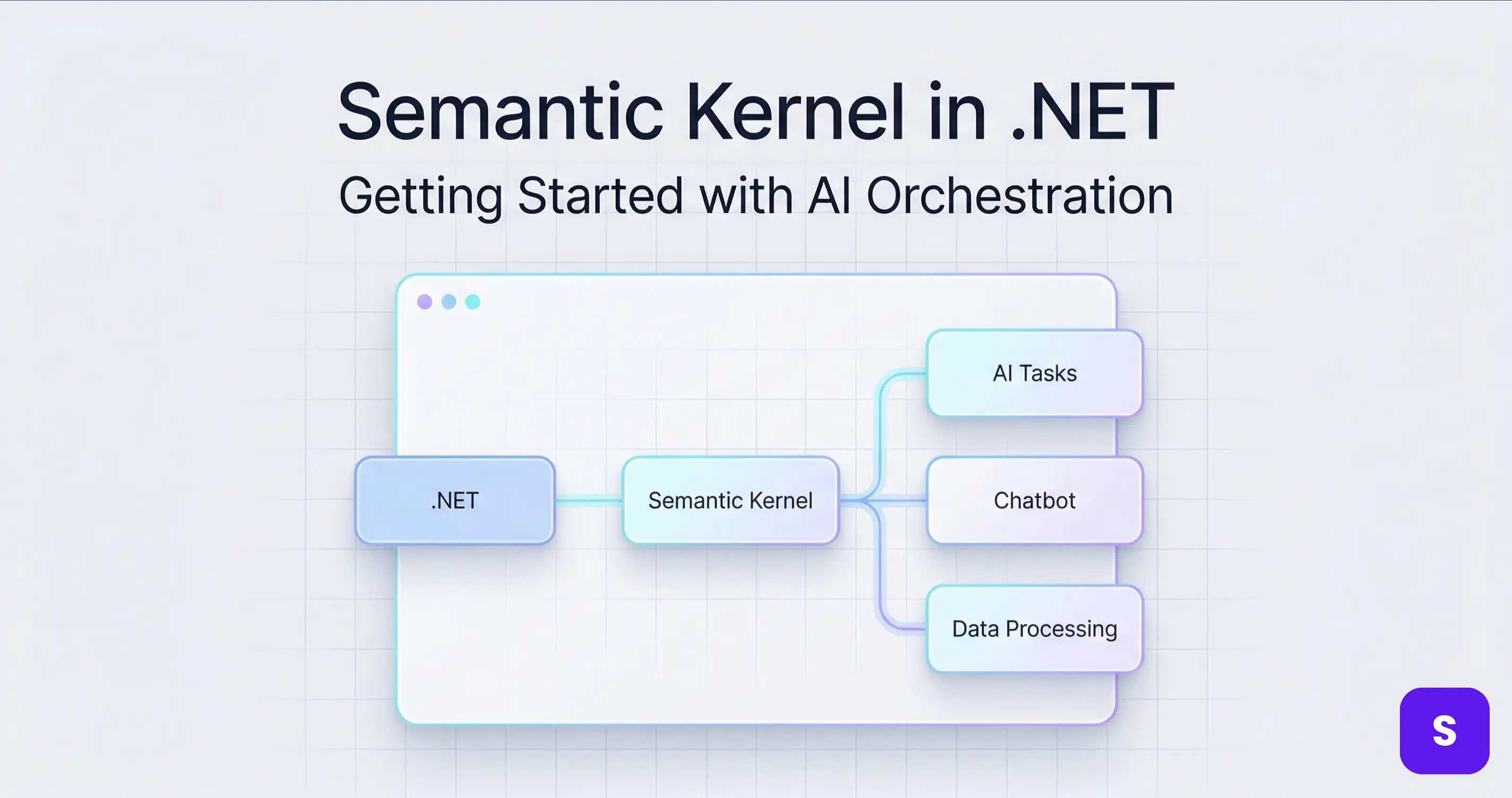
Here's a more practical framing: Semantic Kernel is the layer between your .NET application and AI services. It handles:
- Invoking AI models (OpenAI, Azure OpenAI, Mistral, Ollama, and more)
- Calling your own C# functions as AI-invokable tools (plugins)
- Storing and retrieving information from vector databases (memory)
- Planning and executing multi-step AI workflows (planners)
Without Semantic Kernel, you manage all of this manually — building prompt strings, parsing model outputs, routing between steps, handling retries. With it, you describe what you want the AI to be able to do, and the kernel handles the orchestration.
What It Isn't
Semantic Kernel is not a replacement for the OpenAI SDK for simple use cases. If you're building a basic chatbot that sends messages and receives replies, the OpenAI NuGet package is simpler and has less overhead. I covered that pattern in Build an AI Chatbot with .NET and OpenAI API.
Semantic Kernel shines when your AI needs to do things — call functions, look up data, chain multiple reasoning steps. That's the sweet spot.
Core Concepts You Need Before Writing Code
The Kernel
The Kernel is the central object in Semantic Kernel. It holds your AI service configurations, registered plugins, and settings. Everything flows through it.
var kernel = Kernel.CreateBuilder()
    .AddOpenAIChatCompletion(
        modelId: "gpt-4o-mini",
        apiKey: configuration["OpenAI:ApiKey"]!)
    .Build();
Think of it like WebApplication in ASP.NET Core — the host that wires everything together.
Plugins and KernelFunctions
A plugin is a class containing one or more methods decorated with [KernelFunction]. These are the functions the AI can call when it decides it needs to. Unlike hardcoded tool calls, the AI decides when to invoke them based on context.
Prompt Templates
Beyond native C# functions, you can define AI behaviors as prompt templates — parameterized text strings that the kernel fills in and sends to the model. These are useful for standardizing how you phrase instructions to the AI.
Memory and Vectors
Memory in Semantic Kernel stores text as vector embeddings — numerical representations of meaning — in a vector database. When you query memory, it returns the most semantically similar stored entries. This is how you give the AI access to your own knowledge base without stuffing it all into the context window.
Setting Up Semantic Kernel in ASP.NET Core
Install the Packages
dotnet add package Microsoft.SemanticKernel
dotnet add package Microsoft.SemanticKernel.Connectors.OpenAI
For memory with a local vector store during development:
dotnet add package Microsoft.SemanticKernel.Plugins.Memory
Register the Kernel in Program.cs
I prefer registering the kernel as a scoped service so each request gets a fresh kernel instance with a clean execution context — especially important when you're tracking per-request state like conversation history:
builder.Services.AddScoped<Kernel>(sp =>
{
    var config = sp.GetRequiredService<IConfiguration>();
    var apiKey = config["OpenAI:ApiKey"]
        ?? throw new InvalidOperationException("OpenAI API key not configured.");

    var kernelBuilder = Kernel.CreateBuilder()
        .AddOpenAIChatCompletion(
            modelId: "gpt-4o-mini",
            apiKey: apiKey);

    // Register plugins
    kernelBuilder.Plugins.AddFromType<DateTimePlugin>();
    kernelBuilder.Plugins.AddFromType<ProductPlugin>();

    return kernelBuilder.Build();
});
Store your API key in .NET User Secrets for local development, and in Azure Key Vault or environment variables for production — the same approach covered in How to Secure Your Secret Keys and Database Connections in .NET. Never hardcode it.
Building a Real Feature: A Plugin-Powered Product Assistant
Let me show you a real scenario. I built an internal assistant for a product catalog — users could ask questions like "What's the price of the Pro plan?" or "When does my trial expire?" and the AI would call the right functions to get accurate, up-to-date answers instead of hallucinating.
Step 1: Define Your Plugins
public class DateTimePlugin
{
    [KernelFunction("get_current_date")]
    [Description("Returns the current date and time in UTC.")]
    public string GetCurrentDate() =>
        DateTime.UtcNow.ToString("yyyy-MM-dd HH:mm:ss UTC");
}

public class ProductPlugin
{
    private readonly IProductRepository _repo;

    public ProductPlugin(IProductRepository repo)
    {
        _repo = repo;
    }

    [KernelFunction("get_product_price")]
    [Description("Returns the current price for a given product name.")]
    public async Task<string> GetProductPrice(
        [Description("The name of the product to look up")] string productName)
    {
        var product = await _repo.FindByNameAsync(productName);
        if (product is null)
            return $"No product found with name '{productName}'.";

        return $"{product.Name}: ${product.Price:F2}/month";
    }

    [KernelFunction("list_plans")]
    [Description("Returns a list of all available subscription plans.")]
    public async Task<string> ListPlans()
    {
        var plans = await _repo.GetAllPlansAsync();
        return string.Join("\n", plans.Select(p => $"- {p.Name}: ${p.Price:F2}/month"));
    }
}
The [Description] attribute is critical — this text is what the model sees when deciding whether to call a function. Write it as you would a docstring: clear, concise, and specific about what the function returns.
Step 2: Enable Automatic Function Calling
This is where Semantic Kernel's orchestration value becomes obvious. Set FunctionChoiceBehavior.Auto() and the model will decide which functions to call, call them, and incorporate the results — all automatically:
public class AssistantService
{
    private readonly Kernel _kernel;

    public AssistantService(Kernel kernel)
    {
        _kernel = kernel;
    }

    public async Task<string> AskAsync(string userMessage)
    {
        var history = new ChatHistory();
        history.AddSystemMessage(
            "You are a helpful product assistant. Use the available functions " +
            "to get accurate, up-to-date information. Never guess prices or dates.");
        history.AddUserMessage(userMessage);

        var chatService = _kernel.GetRequiredService<IChatCompletionService>();

        var settings = new OpenAIPromptExecutionSettings
        {
            FunctionChoiceBehavior = FunctionChoiceBehavior.Auto()
        };

        var response = await chatService.GetChatMessageContentAsync(
            history,
            executionSettings: settings,
            kernel: _kernel);

        return response.Content ?? "No response generated.";
    }
}
With FunctionChoiceBehavior.Auto(), the model handles the reasoning loop: it sees the user's question, decides which plugin functions to invoke, calls them (your actual C# code runs), receives the results, and synthesizes a final answer. No manual routing logic on your end.
Step 3: Wire It Up in a Controller
[ApiController]
[Route("api/[controller]")]
public class AssistantController : ControllerBase
{
    private readonly AssistantService _assistant;

    public AssistantController(AssistantService assistant)
    {
        _assistant = assistant;
    }

    [HttpPost]
    public async Task<IActionResult> Ask([FromBody] AskRequest request)
    {
        if (string.IsNullOrWhiteSpace(request.Message))
            return BadRequest("Message is required.");

        var response = await _assistant.AskAsync(request.Message);
        return Ok(new { response });
    }
}

public record AskRequest(string Message);
Send POST /api/assistant with { "message": "What's the price of the Pro plan?" } and the assistant will call get_product_price with productName = "Pro", get the real price from your database, and return an accurate answer.
Production Best Practices and What I Got Wrong
1. Dependency Injection in Plugins Requires a Factory
If your plugin depends on scoped services (like IProductRepository above), you can't just AddFromType<ProductPlugin>() — Semantic Kernel doesn't resolve DI-scoped services from plugin constructors by default.
The correct pattern is to use AddFromObject with a service-resolved instance:
kernelBuilder.Plugins.AddFromObject(
    new ProductPlugin(sp.GetRequiredService<IProductRepository>()),
    "ProductPlugin");
Or build the kernel inside the request pipeline where scoped services are available. I wasted an afternoon on this when building my first plugin that touched a database.
2. Always Describe Your Functions Well
The model's decision to invoke a function depends entirely on the [Description] you write. Vague descriptions like "Gets data" result in the model either never calling the function or calling it inappropriately. Be explicit: "Returns the monthly subscription price in USD for a named product plan."
The Semantic Kernel official documentation on function descriptions has a detailed section on writing effective descriptions.
3. Log Kernel Invocations for Debugging
Semantic Kernel supports filters — hooks that run before and after function invocations. I add a logging filter to every production kernel to trace exactly which functions were called, in what order, and with what inputs:
public class LoggingFunctionFilter : IFunctionInvocationFilter
{
    private readonly ILogger _logger;

    public LoggingFunctionFilter(ILogger<LoggingFunctionFilter> logger)
    {
        _logger = logger;
    }

    public async Task OnFunctionInvocationAsync(
        FunctionInvocationContext context,
        Func<FunctionInvocationContext, Task> next)
    {
        _logger.LogInformation(
            "SK invoking: {Plugin}.{Function} with args: {Args}",
            context.Function.PluginName,
            context.Function.Name,
            JsonSerializer.Serialize(context.Arguments));

        await next(context);

        _logger.LogInformation(
            "SK result: {Plugin}.{Function} → {Result}",
            context.Function.PluginName,
            context.Function.Name,
            context.Result);
    }
}
Register it on the kernel builder:
kernelBuilder.Services.AddSingleton<IFunctionInvocationFilter, LoggingFunctionFilter>();
This has been invaluable for debugging cases where the model calls the wrong function or passes unexpected arguments.
4. Handle CancellationToken in Long-Running AI Calls
Multi-step AI workflows can take several seconds. When users cancel their requests, you want to propagate that cancellation to the kernel — not let it keep burning tokens on a dead connection. Pass HttpContext.RequestAborted wherever the Semantic Kernel API accepts a CancellationToken, following the same pattern from CancellationToken in .NET: Best Practices to Prevent Wasted Work.
5. Keep Plugins Focused and Single-Responsibility
Early on I built a BusinessPlugin with 12 functions covering orders, products, customers, and shipping. The model would consistently call the wrong function or call multiple when one was needed. Breaking it into OrderPlugin, ProductPlugin, CustomerPlugin — each with 3–4 highly specific functions — dramatically improved reliability.
The Semantic Kernel GitHub repository has well-structured sample plugins that follow this pattern.
Key Takeaways
- Semantic Kernel is orchestration, not a replacement for the OpenAI SDK — use it when your AI needs to call functions, access memory, or chain multiple reasoning steps. For a simple chatbot, the raw SDK is simpler.
[KernelFunction]+[Description]is the core primitive. The description you write is what the model reads to decide when to invoke a function — treat it with the same care as public API documentation.FunctionChoiceBehavior.Auto()enables the full agentic loop: the model calls functions, gets results, and synthesizes answers automatically. This removes orchestration boilerplate from your application code.- DI-scoped plugins require
AddFromObjectwith a pre-resolved instance —AddFromTypedoesn't resolve scoped services from the DI container at kernel build time. - Add a
IFunctionInvocationFilterfor logging on every production kernel — it's the only way to trace what the model is actually calling and why. - Split plugins by domain — one focused plugin with 3–4 specific functions outperforms one large plugin with 12 general ones in model reliability.
- Semantic Kernel supports multiple AI providers — OpenAI, Azure OpenAI, Ollama, Mistral, and more. Switching is a one-line kernel builder change; your plugins remain untouched.
Conclusion
Semantic Kernel in .NET closes the gap between "I have an AI model" and "I have an AI-powered application." The raw OpenAI SDK gets you a chat completion. Semantic Kernel gets you an assistant that can actually query your database, call your APIs, and reason across multiple steps — with your C# business logic in the loop.
The patterns I've covered here — kernel setup, plugin design, automatic function calling, and production logging — are what I use as a starting point for every AI feature I build in .NET now. Start with one plugin, one function, and get the end-to-end flow working before adding complexity.
If you try this and hit edge cases around memory, planners, or multi-model setups, drop a comment below. And for more .NET backend patterns and AI integration, there's plenty more on steve-bang.com.
FAQ
Q: What is Semantic Kernel in .NET? A: Semantic Kernel is an open-source AI orchestration SDK from Microsoft for .NET, Python, and Java. It connects large language models with your own C# functions, memory stores, and planners — letting you build AI features that can call real code, retrieve data from vector databases, and execute multi-step reasoning workflows.
Q: What is the difference between Semantic Kernel and the OpenAI SDK for .NET? A: The OpenAI SDK is a thin client for direct API calls — ideal for simple chat completions. Semantic Kernel is an orchestration layer adding plugins, memory, planners, and multi-model support on top. Use the SDK for basic chatbots; reach for Semantic Kernel when your AI needs to invoke code, access databases, or reason across multiple steps.
Q: What is a Semantic Kernel Plugin?
A: A plugin is a C# class with methods decorated with [KernelFunction] and [Description]. The description tells the model what the function does; when the model decides it needs that capability, Semantic Kernel invokes the method and returns the result back into the conversation. It's how you give the AI access to your real business logic.
Q: Does Semantic Kernel support models other than OpenAI? A: Yes — Azure OpenAI, Hugging Face, Ollama (local models), Google Gemini, Mistral, and more are supported through connector packages. Switching between providers is a single line in the kernel builder. Your plugins, memory, and orchestration code remain completely unchanged.
Q: What is Semantic Kernel memory and when should I use it? A: Memory stores text as vector embeddings in a vector database (Qdrant, Azure AI Search, Chroma, etc.) and retrieves semantically similar entries at query time. Use it to give your AI access to your own documents or knowledge base without fitting everything into the context window — this is the foundation of RAG (Retrieval-Augmented Generation) in .NET.
Related Resources
- Build an AI Chatbot with .NET and OpenAI API — Start here before Semantic Kernel: understand the OpenAI API fundamentals, streaming, and conversation memory that SK builds on top of.
- Dependency Injection in .NET: The Complete Guide for 2026 — Register your Kernel, plugins, and scoped services correctly — the DI lifetime decisions matter especially in SK plugin design.
- How to Secure Your Secret Keys and Database Connections in .NET — Keep OpenAI API keys out of source code when wiring up the Semantic Kernel builder in production.
- CancellationToken in .NET: Best Practices to Prevent Wasted Work — Propagate request cancellation through multi-step SK workflows to avoid burning tokens on abandoned requests.
- CI/CD Pipeline for ASP.NET Core with GitHub Actions — Deploy your Semantic Kernel-powered API with a production-ready automated pipeline and safely managed secrets.