If you're still deploying your ASP.NET Core API by RDP-ing into a server and running dotnet publish by hand, this post is for you. I did that for longer than I'd like to admit — and the moment I set up a proper CI/CD pipeline with GitHub Actions, I wondered how I ever shipped software without it.
A broken deployment at 11pm is stressful. A broken deployment that your pipeline caught at the PR stage, before it ever touched a server, is just a green checkbox waiting to happen. In this guide, I'll walk you through building a complete, production-ready CI/CD pipeline for ASP.NET Core using GitHub Actions — from a basic build-and-test workflow all the way to automated Docker builds and deployment, with real YAML I actually use.
Why GitHub Actions for .NET in 2026
There are plenty of CI/CD options — Azure DevOps, Jenkins, CircleCI, GitLab CI. I've used most of them. But GitHub Actions has become my default for .NET projects for a few reasons that have nothing to do with hype.
First, it's where your code already lives. No third-party integration, no webhook setup, no separate login. The workflow YAML lives in .github/workflows/ inside your repository — versioned alongside your code, reviewed in the same PRs, visible to the same team.
Second, Microsoft actively maintains official .NET actions and GitHub-hosted runners ship with the .NET SDK pre-installed. Setting up a basic build takes about 10 lines of YAML.
Third, the GitHub Actions marketplace has mature actions for Docker, Azure, AWS, and most cloud providers — so whatever your deployment target, there's a well-maintained action for it.
The one thing to watch: if you're on a private repo with heavy CI usage, the free tier gives you 2,000 minutes/month on hosted runners. Most projects I work on stay under that, but it's worth knowing before you add matrix builds across 6 .NET versions.
Understanding the Pipeline Structure
Before writing YAML, it helps to think in terms of jobs and triggers.
A typical ASP.NET Core pipeline has three logical stages:
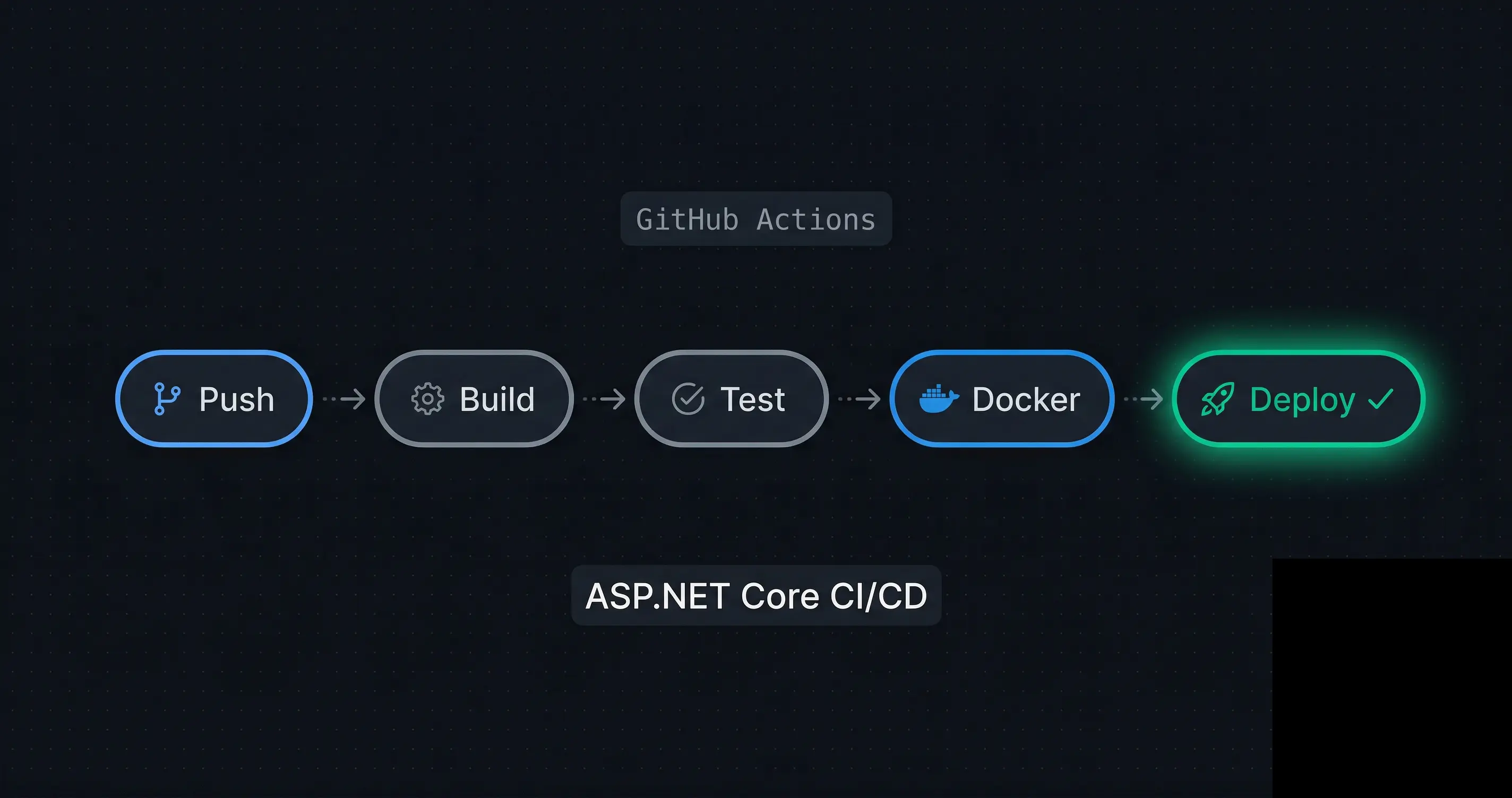
Push / PR → [CI: Build + Test] → [Docker: Build & Push] → [CD: Deploy]
In GitHub Actions terms:
- Trigger: what event starts the workflow (
push,pull_request,workflow_dispatch) - Job: a group of steps that run on the same runner
- Step: a single action or shell command
- Needs: a job dependency declaration —
needs: buildmeans "only run this job ifbuildsucceeded"
The key principle I follow: CI runs on every push and PR. CD runs only on merge to main. This separation prevents half-baked feature branches from accidentally triggering a production deploy.
Building the CI Workflow: Build, Test, and Analyze
Let's start with the foundation — a workflow that builds and tests your ASP.NET Core application on every push.
Create .github/workflows/ci.yml in your repository:
name: CI — Build & Test

on:
  push:
    branches: [ "main", "develop" ]
  pull_request:
    branches: [ "main" ]

env:
  DOTNET_VERSION: '9.0.x'

jobs:
  build-and-test:
    name: Build and Test
    runs-on: ubuntu-latest

    steps:
      - name: Checkout code
        uses: actions/checkout@v4

      - name: Setup .NET
        uses: actions/setup-dotnet@v4
        with:
          dotnet-version: ${{ env.DOTNET_VERSION }}

      - name: Cache NuGet packages
        uses: actions/cache@v4
        with:
          path: ~/.nuget/packages
          key: ${{ runner.os }}-nuget-${{ hashFiles('**/*.csproj') }}
          restore-keys: |
            ${{ runner.os }}-nuget-

      - name: Restore dependencies
        run: dotnet restore

      - name: Build
        run: dotnet build --no-restore -c Release

      - name: Run tests
        run: dotnet test --no-build -c Release --verbosity normal \
          --collect:"XPlat Code Coverage" \
          --results-directory ./coverage

      - name: Upload coverage report
        uses: actions/upload-artifact@v4
        with:
          name: coverage-report
          path: ./coverage
The NuGet Cache Step — Don't Skip This
The actions/cache step for NuGet is the single biggest CI speed improvement I've found. Without it, dotnet restore re-downloads all packages on every run. With it, cache hits drop restore time from ~90 seconds to under 5 seconds.
The cache key uses a hash of all .csproj files — so it only invalidates when dependencies actually change, not on every code push. This mirrors the same principle as the Docker layer caching trick I described in Docker Multi-Stage Builds for .NET: Smaller & Faster Images.
Code Coverage Without a Third-Party Service
The --collect:"XPlat Code Coverage" flag generates Cobertura-format coverage reports natively. I upload them as artifacts so they're accessible in the Actions run summary — no Codecov account required for smaller projects.
Adding the Docker Build and Push Job
Once CI passes, the next job builds a Docker image and pushes it to a container registry. I use GitHub Container Registry (ghcr.io) because it's free and directly integrated with the repository.
Add this to the same ci.yml, or create a separate docker.yml triggered on merge to main:
  docker-build-push:
    name: Docker Build & Push
    runs-on: ubuntu-latest
    needs: build-and-test
    if: github.ref == 'refs/heads/main' && github.event_name == 'push'

    permissions:
      contents: read
      packages: write

    steps:
      - name: Checkout code
        uses: actions/checkout@v4

      - name: Log in to GitHub Container Registry
        uses: docker/login-action@v3
        with:
          registry: ghcr.io
          username: ${{ github.actor }}
          password: ${{ secrets.GITHUB_TOKEN }}

      - name: Extract metadata for Docker
        id: meta
        uses: docker/metadata-action@v5
        with:
          images: ghcr.io/${{ github.repository }}
          tags: |
            type=sha,prefix=sha-
            type=raw,value=latest,enable=${{ github.ref == 'refs/heads/main' }}

      - name: Set up Docker Buildx
        uses: docker/setup-buildx-action@v3

      - name: Build and push Docker image
        uses: docker/build-push-action@v5
        with:
          context: .
          push: true
          tags: ${{ steps.meta.outputs.tags }}
          labels: ${{ steps.meta.outputs.labels }}
          cache-from: type=gha
          cache-to: type=gha,mode=max
Why cache-from: type=gha?
This uses GitHub Actions cache as the Docker layer cache backend — the same BuildKit cache that makes local builds fast, but shared across CI runs. Combined with the multi-stage Dockerfile structure (build stage cached separately from the final stage), this typically cuts Docker build time from 4–5 minutes to under 60 seconds on cache hits.
The docker/metadata-action step automatically generates sensible image tags: sha-abc1234 for traceability and latest for the current main branch. I always tag by commit SHA in production — latest is convenient but makes rollbacks harder to reason about.
Secrets Management in GitHub Actions
Credentials in YAML files are a security incident waiting to happen. GitHub Actions has a built-in secrets store that handles this cleanly.
For a typical ASP.NET Core deployment, you'll need secrets for:
- Database connection string
- Container registry credentials (handled automatically via
GITHUB_TOKENforghcr.io) - Cloud provider credentials (Azure service principal, AWS access keys, etc.)
- Any API keys your app needs at deploy time
Set them up in Repository Settings → Secrets and variables → Actions → New repository secret, then reference them in your workflow:
      - name: Deploy to staging
        env:
          CONNECTION_STRING: ${{ secrets.DATABASE_CONNECTION_STRING }}
          AZURE_CREDENTIALS: ${{ secrets.AZURE_CREDENTIALS }}
        run: |
          echo "Deploying with injected secrets..."
A few rules I follow religiously — detailed further in How to Secure Your Secret Keys and Database Connections in .NET:
- Never echo secrets in run steps — GitHub will mask known secret values in logs, but it's not foolproof
- Use environment-scoped secrets for staging vs production — repository secrets apply everywhere, environment secrets are scoped to a deployment environment
- Rotate secrets on offboarding — GitHub Actions secrets don't auto-expire
Production Best Practices and Mistakes I've Made
1. Gate Deployments with Environments
GitHub Environments add required reviewers and wait timers before deployment jobs run. For production, I always set up a production environment with at least one required reviewer:
  deploy-production:
    environment: production   # triggers approval gate
    needs: docker-build-push
    runs-on: ubuntu-latest
This saved me from an accidental production deploy during a Friday afternoon that I thought was only going to staging.
2. Use workflow_dispatch for Manual Triggers
Always add workflow_dispatch to your deploy workflow. It lets you re-trigger a deployment manually from the Actions tab without pushing dummy commits:
on:
  push:
    branches: [ "main" ]
  workflow_dispatch:
    inputs:
      environment:
        description: 'Target environment'
        required: true
        default: 'staging'
        type: choice
        options: [ staging, production ]
3. Fail Fast with --no-restore and --no-build
Don't run dotnet restore and dotnet build multiple times across steps. Use --no-restore in the build step and --no-build in the test step — they rely on the output of the previous step, and re-running them wastes minutes and obscures which step actually failed.
4. Pin Your Action Versions
Never use actions/checkout@main or docker/build-push-action@latest in production workflows. A breaking change in an upstream action can silently break your pipeline. Always pin to a specific version tag or commit SHA:
uses: actions/checkout@v4          # ✅ pinned to major version
uses: actions/checkout@11bd71901bbe5b1630ceea73d27597364c9af683  # ✅ pinned to SHA
uses: actions/checkout@main        # ❌ unpinned, dangerous
The GitHub Actions security hardening guide covers this and other supply chain risks in detail.
5. Separate Long-Running Jobs
If your test suite takes more than 2 minutes, consider splitting unit tests and integration tests into separate jobs that run in parallel. GitHub Actions supports this natively — parallel jobs share the same per-minute billing but reduce wall clock time significantly.
jobs:
  unit-tests:
    runs-on: ubuntu-latest
    steps: [...]

  integration-tests:
    runs-on: ubuntu-latest
    steps: [...]

  docker-build:
    needs: [unit-tests, integration-tests]
    runs-on: ubuntu-latest
    steps: [...]
Complete Workflow: Putting It All Together
Here's the final combined workflow file structure I use for most ASP.NET Core projects:
.github/
└── workflows/
    ├── ci.yml           # Build + test on every push/PR
    ├── docker.yml       # Docker build + push on merge to main
    └── deploy.yml       # Deploy to staging/prod with environment gates
The deploy.yml depends on a successfully pushed Docker image from docker.yml, referenced by commit SHA. This creates a clean, traceable chain:
PR opened → ci.yml runs → PR merged → docker.yml runs → deploy.yml runs (with approval gate)
Every production deployment is traceable to a specific commit, a specific Docker image SHA, and a specific approver. When something goes wrong in production, this chain is what saves you during an incident.
For handling background tasks and graceful shutdown in your deployed containers, see CancellationToken in .NET: Best Practices to Prevent Wasted Work — it's especially relevant when your deployment triggers a rolling restart.
Key Takeaways
- CI on every push, CD only on merge to
main— this boundary prevents accidental deploys and keeps the feedback loop fast for developers. - Cache NuGet packages with
actions/cachekeyed on.csprojhashes — the single biggest CI speed improvement, often saving 60–90 seconds per run. - Use
cache-from: type=ghain your Docker build step for BuildKit layer caching across CI runs — cuts Docker build time from minutes to seconds on cache hits. - Tag Docker images by commit SHA, not just
latest— traceability and clean rollbacks depend on it. - Use GitHub Environments with required reviewers for production deployments — it's a one-time setup that has saved me from at least two bad deploys.
- Pin all action versions to specific tags or SHAs — unpinned actions are a supply chain risk.
- Add
workflow_dispatchto every deploy workflow — manual re-triggers without dummy commits are essential for operational flexibility. - Never echo secrets in run steps and use environment-scoped secrets to separate staging and production credentials.
Conclusion
A well-built CI/CD pipeline with GitHub Actions doesn't just save time — it changes how you think about shipping software. When every push is automatically built, tested, and validated, deployment stops being an event you prepare for and becomes just another thing that happens.
The workflow patterns in this post are the result of real projects, real incidents, and real lessons. Start with the basic CI workflow, add the Docker build job once that's stable, and layer in deployment automation when you're ready. Don't try to build the perfect pipeline on day one.
If you hit any edge cases — especially around Docker layer caching or EF Core migrations in CI — drop a comment below. And if you want to keep going deeper on .NET backend architecture and DevOps, there's plenty more on steve-bang.com.
FAQ
Q: What is a CI/CD pipeline for ASP.NET Core?
A: A CI/CD pipeline automates building, testing, and deploying your ASP.NET Core app on every code change. GitHub Actions defines this as a YAML workflow in your repository. It eliminates manual deployments, catches regressions early, and gives every team member confidence that main is always in a deployable state.
Q: Is GitHub Actions free for .NET projects? A: Free for public repositories with unlimited minutes. Private repositories get 2,000 free minutes/month on GitHub-hosted runners. Most small-to-medium ASP.NET Core projects stay within this. For heavier usage, self-hosted runners on your own infrastructure eliminate the minute limit entirely.
Q: How do I store secrets like connection strings in GitHub Actions?
A: Use GitHub Encrypted Secrets — Repository Settings → Secrets and variables → Actions → New repository secret. Reference them in YAML with ${{ secrets.YOUR_SECRET_NAME }}. For environment-specific secrets (staging vs prod), use GitHub Environments with scoped secrets rather than repository-level secrets.
Q: How do I run Entity Framework migrations in GitHub Actions?
A: Install EF tools with dotnet tool install --global dotnet-ef, then run dotnet ef database update with the connection string passed as an environment variable from secrets. Run migrations as a separate job after tests pass and before the deployment job, so a failed migration doesn't leave your app half-deployed.
Q: What is the difference between CI and CD in GitHub Actions?
A: CI (Continuous Integration) is the build-and-test phase — runs on every push and PR to validate code quality. CD (Continuous Deployment) is the deployment phase — runs on merges to main to ship verified artifacts. Both live in the same workflow file, connected via needs: job dependencies and if: conditions on branch name.
Related Resources
- Docker Multi-Stage Builds for .NET: Smaller & Faster Images — Build the optimized Docker image that your GitHub Actions pipeline will push and deploy.
- How to Secure Your Secret Keys and Database Connections in .NET — Manage credentials safely across dev, staging, and production environments.
- CancellationToken in .NET: Best Practices to Prevent Wasted Work — Handle graceful shutdown correctly when your CI/CD pipeline triggers a rolling restart.
- Dependency Injection in .NET: The Complete Guide for 2026 — Structure your application correctly so tests in CI can run without infrastructure dependencies.
- .NET CLI for Beginners: Master the dotnet Command — Understand the
dotnet build,dotnet test, anddotnet publishcommands powering every CI step.